
Quotes
Quotes are the running joke your channel keeps. Somebody says something worth remembering, a moderator saves it in one message, and from then on anyone in chat can pull it back up, either a specific one or a random one.
Everything is per channel and owned by the channel. Your quotes are yours, and a moderator you have given access to can add to them without touching anything else.
Before you start
Section titled “Before you start”Adding a quote from chat needs the bot in your chat, so connect a platform first if you have not: see Getting started. Adding one from the portal works regardless.
Quotes live under Chat bot in the sidebar, scoped to whatever the channel selector at the top of the portal says. On a channel you moderate, Editor access is enough to add and delete quotes.
Save a quote from chat
Section titled “Save a quote from chat”This is how quotes actually get saved: in the moment, by whoever is watching.
-
Type
!quote addfollowed by the line, for example!quote add gg no re. Moderator or above. -
Note the number the bot replies with. It answers
Quote #12 added. That number is how the quote is recalled from now on.
Add or review quotes in the portal
Section titled “Add or review quotes in the portal”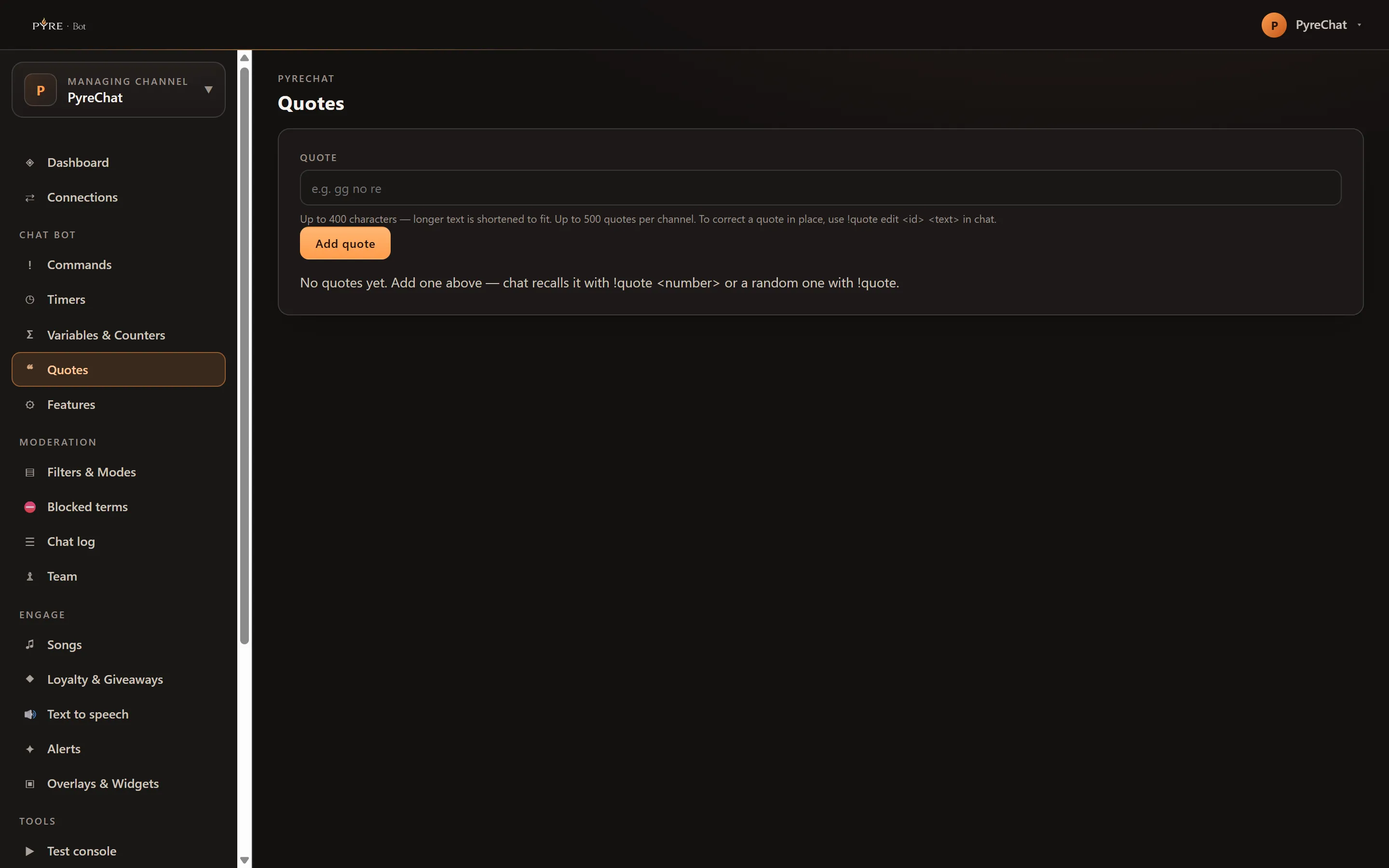
-
Open Quotes. The page is one card: an add form on top, your quotes below, oldest first.
-
Type the line into the Quote field and select Add quote.
-
Read the list. The
#column is the quote’s number, the same number chat types to recall it, and the Quote column is the text. Delete removes a quote for good, and the confirmation notes that the deletion is recorded in your bot activity.
The commands
Section titled “The commands”!quote is a built in command, so it works with no setup. Reading is open to
everyone; every write is moderator or above.
| Command | Who can use it | What it does |
|---|---|---|
!quote | Everyone | Posts a random saved quote |
!quote random | Everyone | The same as a bare !quote |
!quote 12 | Everyone | Posts quote number 12 |
!quote add <text> | Moderator | Saves a new quote and replies with its number |
!quote edit <id> <text> | Moderator | Replaces that quote’s text, keeping its number |
!quote delete <id> | Moderator | Deletes it. remove and del do the same |
A viewer who is not a moderator typing !quote add something does not get an
error. The write is simply not theirs to make, so the line falls through to the
ordinary read command instead.
Like every command, !quote itself is editable from the Commands page: who may use
it, its cooldown, which starts at 5 seconds, and its live gate. Its response is the
$(quote $1) variable, which you are free to use in a command of your own if you
want quotes surfaced under a different word.
What the numbers mean
Section titled “What the numbers mean”A quote’s number is permanent and never reused. It is not its position in the list, so deleting quote 3 does not renumber anything, it just leaves a gap between 2 and 4. Gaps are normal and are not a sign anything is wrong.
Limits, plainly
Section titled “Limits, plainly”- 400 characters per quote. Longer text is shortened to fit, and the portal tells you when a save actually hit the limit rather than quietly trimming it.
- 500 quotes per channel. At the cap, adding another is refused until you delete one.
- No metadata. Pyre stores who added a quote and when, but nothing in the portal or in chat shows it. There is no game, no date and no attribution to display or search on today.
- No search. The portal lists quotes and does not filter them, and there is no
!quote searchin chat. With a few hundred quotes, use your browser’s find on the page.
If a quote does not come back
Section titled “If a quote does not come back”!quote 99 for a number that does not exist resolves to nothing, so you get
nothing useful back rather than an error. The same is true of a bare !quote on a
channel with no quotes saved yet. Check the number against the # column in the
portal.
If a quote you just added from another tab or from chat does not appear, reload the page. The list is fetched when the page opens and does not update itself.