
Continuity and failover
Continuity is the page where you decide what happens when a feed dies. You drag your inputs into a priority order, and when the live one drops, the switcher falls down that list. When every input is dark it lands on your reconnect card, which is the last thing standing between an outage and a black screen.
The page is in two halves. Failover order is the list. Reconnect card is what plays at the bottom of it.
Set your failover order
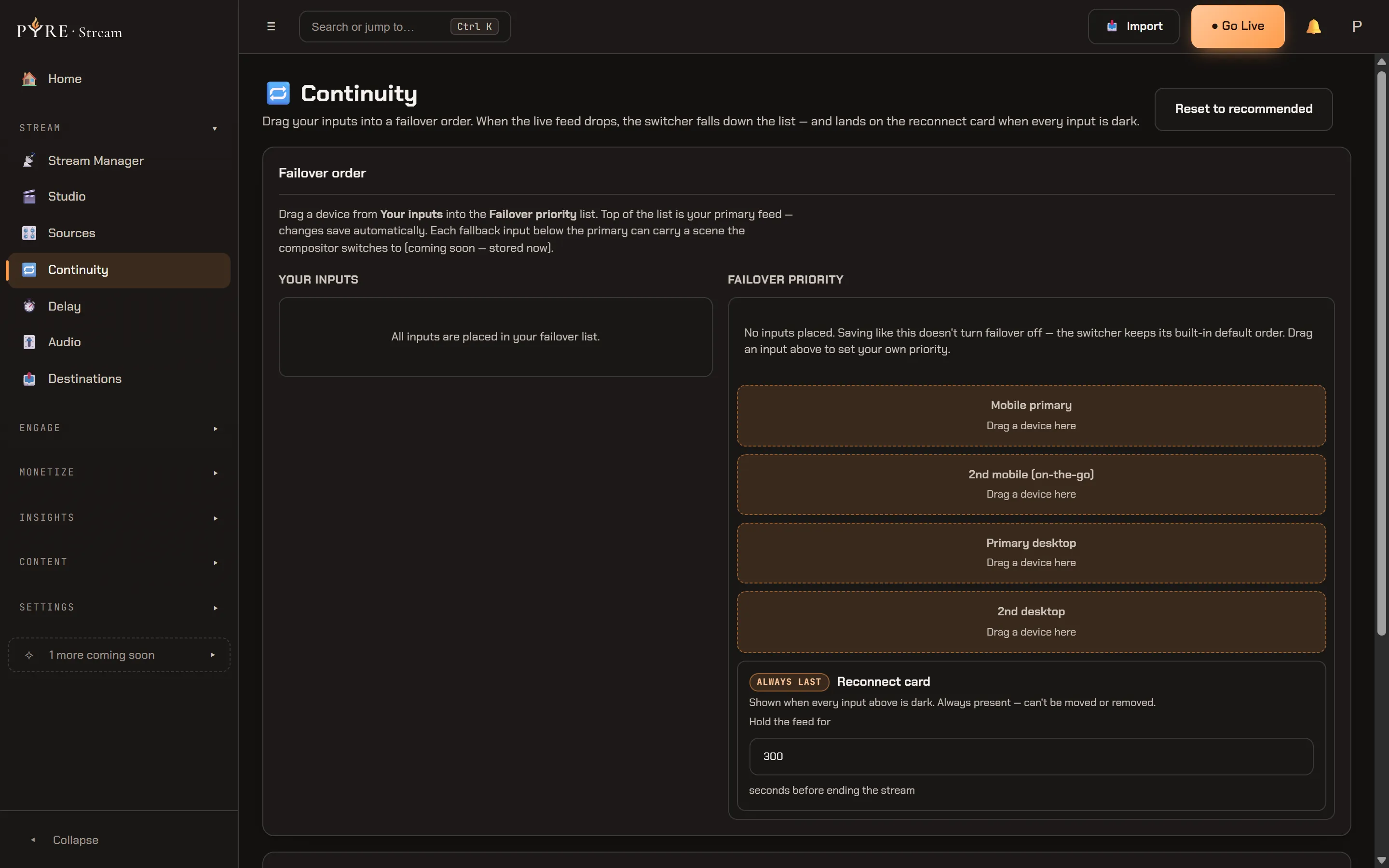
Section titled “Set your failover order”The failover card has two columns. Your inputs on the left is the pool, fed by the Sources page: every device and custom source you have set up under Sources, each with its type (Mobile, Desktop or Third-party) and a dot showing whether it is live right now. Failover priority on the right is the ordered list.
-
Drag an input from the pool into the list. The top of the list is your primary feed, and everything under it is a fallback, in order.
-
Fill in the rest of the order. Pyre pre-fills a recommended scaffold with four rows: Mobile primary, 2nd mobile (on-the-go), Primary desktop, 2nd desktop. Empty rows read Drag a device here until you fill them, and Reset to recommended puts the whole list back to that shape.
-
Nothing to save. Every change persists on its own a moment after you make it, and the status line under the columns says Saving… and then Saved. There is no Save button to forget.
If dragging is awkward, or you are working from the keyboard, each placed row carries the same actions as buttons: the up and down arrows move a row through the order, and Remove sends it back to the pool. The drag and the buttons do exactly the same thing.
Every row below the primary can also carry a Fallback scene, the scene the compositor cuts to when failover lands on that input. The top row never offers one, because the primary feed is not a fallback for anything. The picker stores your choice today, and the compositor will act on it in a later release.
Two things can keep an input out of your order. An input that has lost its relay slot is flagged No slot in the pool: it still shows, but it cannot be a failover tier until a slot frees up. That happens at the ceiling of eight fanout inputs, and the page says so above the pool when you are actually at it. Removing an input frees a slot for the others.
Why you never see a slot letter
Section titled “Why you never see a slot letter”Under the hood every input owns a lettered relay slot, and the order you build is stored as those letters. The page deliberately never shows you one.
The reason is that the letter is not the thing you care about and it is not stable in the way you would assume. Your phone is your phone; the slot it happens to hold is bookkeeping that can change when you add, remove or re-pair a device. So you drag inputs, Pyre resolves them to slots when it saves, and it maps them back to whatever input holds each slot when you return. A device that disappears takes its row with it rather than leaving a mystery letter behind.
The reconnect card is the last tier
Section titled “The reconnect card is the last tier”The bottom of the failover list is always the Reconnect card, marked Always last. It is pinned and read only: you cannot drag it, reorder it or remove it, because there is nothing below it to fall to.
This is what your viewers see when every input above it is dark. It loops until a source comes back, or until the hold time runs out. That hold time is the one setting the pinned row carries: Hold the feed for N seconds before ending the stream, five minutes by default, anywhere from none at all to ten minutes. When it runs out with nothing back, the stream ends.
What plays on the card
Section titled “What plays on the card”The Reconnect card section under the list is where you set the content, with a Default and a Custom choice.
On Default your viewers get Pyre’s own card, and the page says so rather than showing you an empty box. On Custom you build a playlist from your overlay asset library: Choose from library picks something you already have, Upload adds a new image or video, and each item carries the number of seconds it is shown. Items play in order and then repeat, and the Total loop readout tells you how long one pass takes. Reset to default takes you back.
The limits are real and the page states them under the list:
- Up to 5 items on a card.
- Up to 5 minutes for any single item.
- 10 minutes for the whole loop. A longer playlist is not rejected, only truncated, and the page warns you that just the first ten minutes is used.
- 200 MB per file, checked before the bytes leave your machine.
- Images and video only. No audio files: a card item is a picture or a clip.
Those caps exist because your card is converted on the relay that carries your stream, which is shared infrastructure. One enormous file being processed there is everyone else’s problem too, so the bounds keep it from becoming one.
Two behaviours worth knowing before you need them. Audio from your clips is off by default, and turning it on is a deliberate decision: music broadcast to your whole audience during an outage is a copyright risk, and nobody is watching chat to catch it, so your card plays silently until you say otherwise. And if you delete an asset from your library while a card still uses it, that card falls back to the default and the row reads no longer in your library rather than going quietly blank.
The delay card is the same machine
Section titled “The delay card is the same machine”Your delay card and your reconnect card are the same playlist over the same asset library, held to the same limits and rendered through the same pipeline. Learn one and you know the other, and there is deliberately no second uploader anywhere in the product for them.
They also back each other up. If you have not set a delay card, a building delay shows your reconnect card instead, so the branded thing your viewers already associate with “hold on a second” is what they get.
The two features solve neighbouring problems from different angles. Failover keeps the stream alive by switching to another input. A delay keeps it alive by having already banked the footage: a dropout shorter than your delay is simply never seen by viewers. They are worth setting up together.